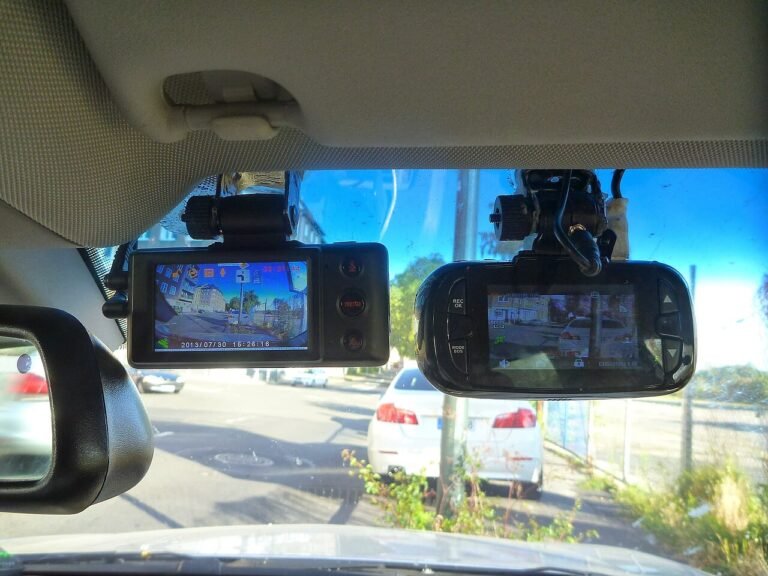
A dash cam keeps writing over its memory card for as long as it runs, and every card has limited endurance. The SD Association says dash cameras, like surveillance cameras, perform overwrite recording once the card is full, and recommends replacing the card every one or two years, depending on its endurance. That one fact explains most advice about dash cam cards: pick a card built for constant rewriting, format it with the right tool, and do not assume it lasts forever.
Why a dash cam is hard on a card
A phone or a camera fills a card slowly and then you empty it. A dash cam works differently. It records continuously, and when the card is full it overwrites the oldest footage. The SD Association’s dash cam article puts it plainly: dash cameras perform overwrite recording after the card is full, and any memory card has a limited endurance capability.
The same article says endurance depends on the total card capacity and on the kind of memory the card uses, with higher-endurance memory giving greater longevity. Capacity matters because a larger card spreads the same writing over more space. One manufacturer’s manual for a dash cam makes the same point, saying larger cards are overwritten less often. The wording below attributes that to a single manual for a single model, and it is not an industry rule.
What high endurance means
The SD Association explains in a separate article that a technique called pseudo SLC is now used for high-endurance applications such as surveillance systems, and that high endurance requires stronger error-correcting code. It also says background firmware refresh reduces error bits. In plain terms, a card sold for high endurance is built differently inside, not just labeled differently. The article discusses surveillance, not dash cams by name, so the link to your car camera is an inference from the overwrite-recording point above.
Because the association does not publish a number of rewrites a card can take, any claim about exact lifetimes on a product page is the seller’s claim and not a standard. Treat it that way. What the association does say is that higher-endurance memory gives greater longevity.
Speed ratings are a separate question
Endurance and speed are different things. The SD Association’s speed class page lists Speed Class (2, 4, 6, 10), UHS Speed Class (U1, U3) and Video Speed Class (V6, V10, V30, V60, V90), and says the symbols show the minimum writing speed. For Video Speed Class, the number after the V is the card’s minimum sustained transfer speed in megabytes per second. The association adds that a camera with 4K recording could use either a U3 card or one rated V30 to V90.
| Rating family | Labels | What the label shows |
|---|---|---|
| Speed Class | 2, 4, 6, 10 | Minimum writing speed |
| UHS Speed Class | U1, U3 | Minimum writing speed |
| Video Speed Class | V6, V10, V30, V60, V90 | Minimum sustained transfer speed; the number is MB/s |
The manufacturer manual mentioned above asks for a high-quality card with a speed rating of class 10 or higher. Read your own camera’s manual for the rating it needs, since a dash cam that records high-resolution video may ask for more. Speed and endurance are listed separately, so check both.
Formatting: use the right tool, and back up first
The SD Association’s formatter FAQ says formatting ensures your card is free of viruses and bugs, corrects performance challenges and fixes issues caused by improperly removing the card, and it lists drive recorders among the devices it works with. It describes two modes. A quick format deletes the file and directory entries but does not delete the data written in the files. An overwrite format erases all data. Back up anything you want before you format, because the process removes it.
Why not use the formatter built into your computer? A separate association article says operating system built-in formatters are not tested as rigorously and often may not follow the standards as closely. It suggests reformatting when files fragment and performance deteriorates.
How often? The camera manual says to format the memory card at least once every six months. That is one manufacturer’s instruction for one model. Check your own camera’s manual, which may give a different interval or ask you to format in the camera itself.
When to replace the card
The association’s automotive article says dash cams log drives so that owners have evidence for insurance purposes in case of an accident, and that it is necessary to select the appropriate product. A card that fails is a card that did not record, which is the whole reason to care.
The SD Association recommends replacing the card every one or two years, depending on its endurance. The camera manual describes a sequence for card problems: first try formatting the card, then replace it if necessary. It also says that all microSD cards wear out after being overwritten a large number of times.
Watch for your camera reporting a card error, for recordings that stop or skip, or for footage you cannot open. Those are your signals to try a format and then a new card. Do not wait for the moment you need the footage to find out the card failed. If you want to understand what happens after an incident, the guide to choosing a dash cam covers the rest of the setup, and the page on parking mode and hardwire kits covers recording while parked.
Our take
Buy a card meant for constant recording, match its speed rating to what your camera’s manual asks for, format it with the SD Association’s tool after backing up, and plan to replace it every one or two years. Check the camera manual for its own format interval, and treat any lifetime figure on a product page as the seller’s claim.
Common questions about dash cam SD cards
Do I need a high-endurance card for a dash cam?
The SD Association says dash cams overwrite their cards and that higher-endurance memory gives greater longevity, so a card built for constant recording suits the job. It does not name a required product.
How often should I replace the card?
The association recommends every one or two years, depending on endurance. If the camera reports errors, try formatting first and replace the card if the problem remains.
Should I format in the camera or on a computer?
The SD Association says built-in operating system formatters are tested less rigorously, and offers its own formatter. Your camera’s manual may call for formatting in the camera itself, so read it.
Does a bigger card last longer?
The association says endurance depends on total capacity, and one camera manual says larger cards are overwritten less often. It does not give a figure.
Behind this review
TrueSpyTech does not operate a test lab, and no article here rests on a unit we plugged in ourselves. Research pulls the spec sheets and the relevant law, the pattern in owner reports fills in what a spec sheet will not admit, and an editor signs off before anything goes live. Ratings are locked before affiliate links go in, never after. The full protocol is on our How we review page.
Google lets you pick which sites come up first in your own results.