Changing an AirTag battery takes about a minute and no tools. Press down on the stainless steel cover, turn it counterclockwise until it stops, lift out the old cell, drop in a fresh CR2032 with the positive side facing up, then line up the cover and turn it clockwise. That is the procedure on Apple’s AirTag battery support page. The rest of this article covers the parts people actually get stuck on: which CR2032 to buy, why a coin cell sometimes will not work, and how to keep the old battery away from children.
What to buy before you open it
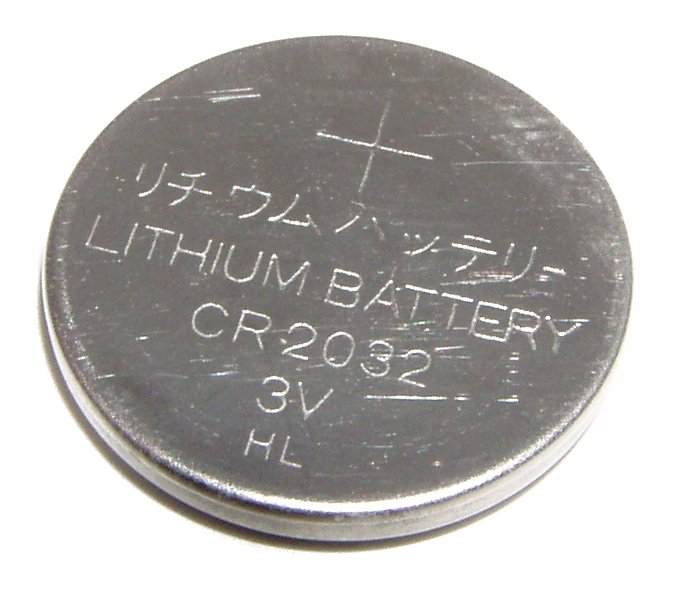
Apple specifies a CR2032 lithium 3V coin battery and says you can find one at most electronic and drug stores. That is the only cell the page names, so a CR2025 or CR2016 that happens to look similar is outside what Apple tells you to use. Apple’s AirTag page lists the battery as a user-replaceable CR2032 coin cell, and the 2nd generation tech specs list the same cell, so one battery type covers both models.
Brand is where it gets interesting. Apple recommends a bitterant-coated CR2032, which is a cell with a bitter coating meant to discourage a child from swallowing it, and gives one example: the Duracell 2032 Lithium Coin Battery with Bitter Coating. It also tells you to look for packaging that reads “Compatible with Apple AirTag.” Apple does not name any other brand on that page, so if the cell you are eyeing does not carry that wording, you are guessing.
Replacing the battery, step by step
Here is Apple’s sequence, in order.
- Press down on the polished stainless steel battery cover and rotate it counterclockwise until it stops rotating.
- Remove the cover and the battery.
- Insert the new CR2032 with the positive side facing up.
- Put the cover back so its three tabs line up with the three slots on the AirTag.
- Rotate the cover clockwise until it stops.
Two details matter more than they look. The positive side faces up, toward you as you look into the open AirTag, so check the cell’s markings before it goes in rather than after. And the cover has to meet all three slots before you turn it. If it will not catch, back it off and realign instead of forcing it.
Apple’s page stops at step five. It does not describe a confirmation sound or any other signal that the new battery is working. A sensible check, though that is our suggestion and not Apple’s, is to open the Find My app afterward and confirm the AirTag still shows up under its name.
Why some CR2032 batteries do not work in an AirTag
A fresh, correctly sized battery can still fail, and Apple says so directly: some CR2032 batteries with bitterant coatings might not work with AirTag or other battery-powered products. The page gives no reason, and we are not going to invent one.
What Apple does give you is a practical rule. Look for the “Compatible with Apple AirTag” wording on the packaging, and use the Duracell cell Apple names as your reference point. The slightly awkward part is that the coating exists for child safety, yet it is also the feature that causes the compatibility problem, and Apple still recommends the coated type. The page does not explain why an uncoated cell would be a better answer, so we will not suggest one.
If you have fitted a cell with the right wording and the AirTag still seems dead, Apple’s page sends you to its support tool, where you describe what is happening and it suggests what to do next. It lists no other repair steps for a stubborn battery, and it does not say what to do if the cover refuses to turn. Those are gaps in the page, and no other source we read fills them.
Keeping the old battery away from kids and pets
This is the part that deserves a slow read. Apple’s own warning is blunt: keep new and used batteries out of reach of children, and seek immediate medical attention if a battery is suspected to be swallowed or inserted inside any part of the body.
The U.S. Consumer Product Safety Commission explains why the warning is that urgent. According to its button cell and coin battery page, a button cell battery can burn through a child’s throat or esophagus in as little as two hours if swallowed. The agency lists the National Battery Ingestion Hotline at 800-498-8666 and the Poison Help Line at 800-222-1222. It also notes that the National Capital Poison Center recommends honey for children 12 months and older who swallowed a button battery in the past 12 hours, 10 mL every 10 minutes, with no more than six doses. Contacting emergency services comes first, and the honey is something the page attaches to that call, not a replacement for care.
For the cell you just removed, the CPSC says to put non-conductive tape, such as electrical tape, over the battery’s terminals or around the entire battery, and discard it at a battery-collection center. Do that before the old cell goes anywhere, including a kitchen counter or a bag on the floor. It also helps to do the swap at a table rather than over carpet, so a dropped cell cannot roll out of sight.
When the AirTag may not need a new battery at all
Apple says that when the cell is running down, “Low Battery” appears under the name of your AirTag in the Find My app. If you never saw that label, a dead battery is one possibility among others, and Apple’s battery page does not cover the others. That is as far as the sources go.
It also helps to be clear about what an AirTag is for. It helps you find things through the Find My network. If what you actually need is live location for a car or a person, a different kind of device does that job, and our GPS tracker guide explains the difference.
Our take
Do the swap yourself, because Apple’s procedure is five short steps. Buy a CR2032 that says “Compatible with Apple AirTag” on the pack, and treat the old battery as a safety hazard rather than trash. Keep it taped and out of reach of children until you reach a collection center.
Common questions about changing an AirTag battery
What battery does an AirTag take?
Apple specifies a CR2032 lithium 3V coin battery, available at most electronic and drug stores, installed with the positive side facing up.
Apple specifies a CR2032 lithium 3V coin battery, available at most electronic and drug stores, installed with the positive side facing up.
Do I need a tool to open an AirTag?
Apple’s steps use none. You press down on the stainless steel cover and rotate it counterclockwise until it stops.
Apple’s steps use none. You press down on the stainless steel cover and rotate it counterclockwise until it stops.
Why did my new CR2032 not work?
Apple warns that some CR2032 batteries with bitterant coatings might not work with AirTag. It points to packaging that says “Compatible with Apple AirTag” and offers a support tool if the problem continues.
Apple warns that some CR2032 batteries with bitterant coatings might not work with AirTag. It points to packaging that says “Compatible with Apple AirTag” and offers a support tool if the problem continues.
What do I do if a child swallows the battery?
Get emergency medical help right away. The CPSC lists the National Battery Ingestion Hotline at 800-498-8666 and the Poison Help Line at 800-222-1222, and says a swallowed button cell can burn through the esophagus in as little as two hours.
Get emergency medical help right away. The CPSC lists the National Battery Ingestion Hotline at 800-498-8666 and the Poison Help Line at 800-222-1222, and says a swallowed button cell can burn through the esophagus in as little as two hours.
How do I dispose of the old battery?
The CPSC says to cover the terminals with non-conductive tape, such as electrical tape, or wrap the whole cell, then take it to a battery-collection center.
The CPSC says to cover the terminals with non-conductive tape, such as electrical tape, or wrap the whole cell, then take it to a battery-collection center.
Behind this review
TrueSpyTech does not operate a test lab, and no article here rests on a unit we plugged in ourselves. Research pulls the spec sheets and the relevant law, the pattern in owner reports fills in what a spec sheet will not admit, and an editor signs off before anything goes live. Ratings are locked before affiliate links go in, never after. The full protocol is on our How we review page.
Google lets you pick which sites come up first in your own results.