To reset an AirTag, take off the battery cover, pull the battery, put it back, and press down on it until you hear a sound. Do that five times in a row. The fifth sound is different from the first four, and that is Apple’s signal that the tag is ready to pair again. The sequence is short, but it only matters in a few situations, and doing it at the wrong moment can leave you with a tag that still will not pair. Here is the full picture, built from Apple’s reset guide and the related Apple Support pages.
When a reset is the right move
An AirTag can be tied to one Apple Account at a time. Apple states it plainly: if you want to use an AirTag that someone else has used, they need to remove it from their Apple Account first. The reset comes into play when that handoff went wrong. In Apple’s words, if the previous user removed the AirTag from their account but was out of Bluetooth range of it, you need to reset it before you can use it with your devices.
So the order matters. Removal is the clean path and happens on the owner’s side. Reset is the physical fallback that happens with the tag in your hand. Many people grab the battery first because it feels like a factory reset on a phone, but Apple frames it as a repair for an incomplete removal, not as step one.
Remove it from the Apple Account first
If the tag is yours and you are giving it away or selling it, remove it from your Apple Account while it is still near your iPhone. Apple’s page on items connected to another Apple Account says the previous owner needs to remove the device or item from their account before a new person can pair it. That removal also takes off Find My Lock, which is the part that actually blocks a new owner.
The same page is blunt about the limit of Apple’s own help: “Apple can’t remove Find My Lock for you.” If you are buying a used tag, ask the seller to confirm the removal before you pay. A tag that is still locked to the seller’s account will not pair with yours, and no support ticket changes that.
The battery reset sequence
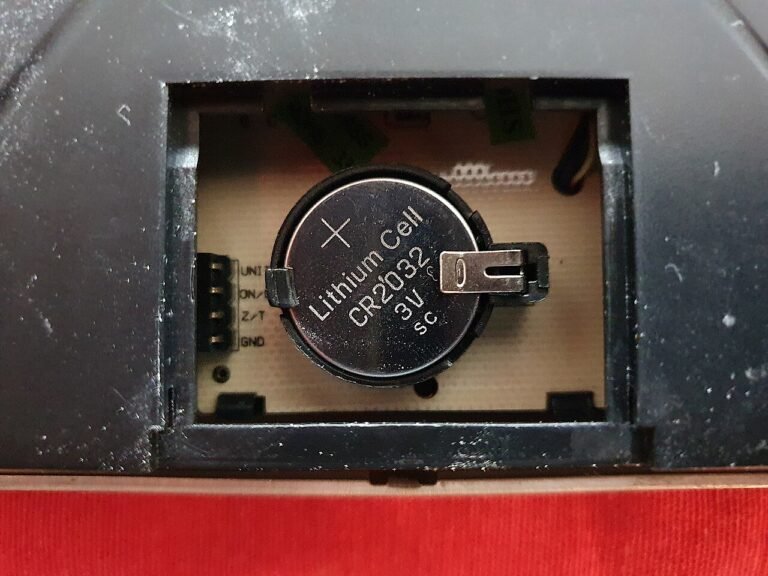
For the original AirTag, Apple lists these steps. Press down on the polished stainless steel battery cover and rotate it counterclockwise until it stops. Take off the cover and the battery. Put the battery back in. Press down on the battery for about two seconds until you hear a sound; that sound means the battery is connected. When the sound finishes, repeat the remove, replace and press routine four more times. You should hear a sound each time, five in total. The fifth one is different, and that tells you the tag is ready to pair. If the fifth sound does not change, Apple says to keep going until it does. Then line up the three tabs on the cover with the three slots, press down, and rotate clockwise until it stops.
The AirTag (2nd generation) uses a variation. The first steps match, but the press is held for two more seconds after the first sound, and then you remove the battery and wait 12 seconds before repeating. Apple also notes that to hear the fifth sound on that model you may need to press the battery for 12 seconds. Because the timing differs by model, follow the page for your version rather than relying on a memory of the older routine.
One safety line from Apple is worth repeating. The tag, its cover and the battery can be a choking hazard or cause other injury to small children, so do this away from kids.
After the reset: Find My and pairing
Once you hear the different fifth sound, the AirTag is in a state where it can be paired, provided the old account no longer holds it. That sound is a status signal, and Apple does not describe any other feedback from the tag during the process.
Pairing is then a normal setup with your own Apple Account. What you get afterward is the standard Find My experience. Apple describes the Find My network as “a crowdsourced network of over a billion Apple devices that use Bluetooth technology to detect the location of an accessory or device, and report their approximate location back to the owner.” Note the word approximate. A freshly reset tag is not more precise than any other.
If the previous owner cannot be reached
This is the dead end people hit most. Apple’s guidance covers it in two sentences: “If you can’t remove the device or item and unpair it from an Apple Account, you should reset it. While you still won’t be able to pair it with your Apple Account, this prevents the device or item from sharing your location with the previous owner.”
Read that twice. A reset in this situation protects you, but it does not make the tag yours. The page gives no route for contacting the previous owner through Apple, and it says Apple cannot remove the lock on your behalf. For a second-hand tag that will not pair, the practical outcome is a return to the seller or a loss of the purchase. My advice is to treat a used AirTag as a risk unless the seller removes it in front of you.
When the AirTag is not yours at all
A different case looks similar: a tag you did not buy keeps showing up with you. Apple’s page on alerts that an AirTag or other tracker is with you explains what to do. The Identify Found Item feature shows the tag’s serial number, the last four digits of the registered owner’s phone number, and a message if the owner marked the item lost. To disable an AirTag, remove its battery. After that, the owner no longer gets location updates and you stop getting alerts.
Apple adds that if you are worried about your safety, you should contact local law enforcement, who can work with Apple to request information about the item. You may need to provide the serial number and the device. Think twice before wiping a tag like this and tossing it, since the serial number is what an investigator would ask for. If you suspect a car is being tracked, our guide to checking your car for a GPS tracker covers the physical search, and the wider counter-surveillance guide covers sweeping a room.
Our take
Reset is a repair tool, not a sales tool. If you own the tag, remove it from your Apple Account while it is nearby and skip the battery routine. If you inherited someone else’s locked tag, the reset protects your privacy but will not make the tag usable, so do not pay for one unless the seller has cleared it first.
Common questions about resetting an AirTag
How many times do I press the battery?
Apple describes five rounds in total for the original AirTag: remove, replace, press until you hear a sound, and repeat until you have heard five sounds. The fifth sound is different and means the tag is ready to pair.
Does resetting an AirTag remove it from my Apple Account?
Not by itself. Apple says the previous owner needs to remove the item from their Apple Account before a new account can pair it. Resetting only stops the tag from sharing its location with the previous owner.
Can Apple unlock a tag for me?
No. Apple’s support page says it cannot remove Find My Lock for you. The previous owner has to remove the item from their account.
What if I keep getting alerts about an AirTag that is not mine?
Apple says to use Identify Found Item to see the serial number, and that removing the battery disables the tag. If you feel unsafe, contact local law enforcement, who can work with Apple to request information about the item.
Behind this review
TrueSpyTech does not operate a test lab, and no article here rests on a unit we plugged in ourselves. Research pulls the spec sheets and the relevant law, the pattern in owner reports fills in what a spec sheet will not admit, and an editor signs off before anything goes live. Ratings are locked before affiliate links go in, never after. The full protocol is on our How we review page.
Google lets you pick which sites come up first in your own results.