If you are changing phones across platforms, Tile is the tracker whose own pages list both iPhone and Android, AirTag is the one Apple documents only for iPhone and iPad, and Samsung’s SmartTag2 is documented for Galaxy phones. That single fact decides most switching questions, so it comes before any feature comparison.
Which phones each tracker works with
The table below uses each maker’s own support page, and it is limited to what those pages say. Where a page is silent, the cell says so instead of guessing.
| Tracker | Phones the maker’s page lists | Network that finds a lost item | What the page leaves out |
|---|---|---|---|
| Tile | iPhone on iOS 16 or newer, and Android 9 or newer, with Pixel, Galaxy S8 and newer, and OnePlus 3 and newer named as officially compatible | Other people’s Tile app updates your Tile’s location, anonymously | Android tablets, Huawei and Honor devices, Fire HD and Chromebooks are listed as not supported |
| AirTag | iPhone or iPad on iOS or iPadOS 14.5 or later, and 26.2.1 or later for the second generation | The Find My network | The setup page never mentions Android |
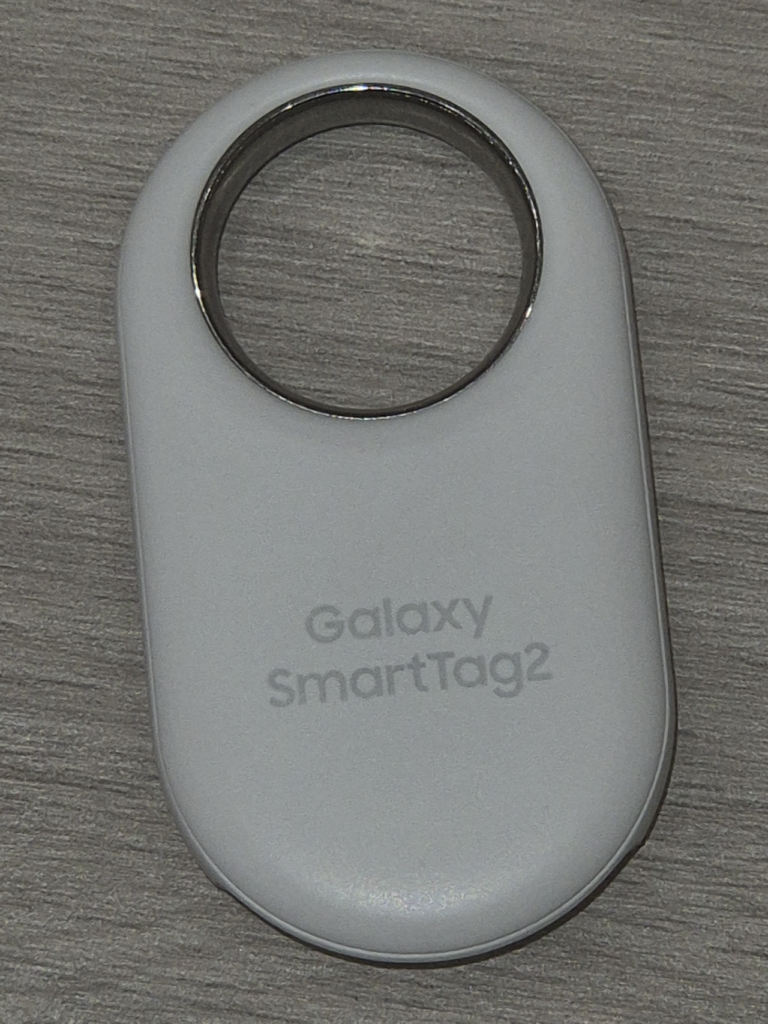
| SmartTag2 | Samsung Galaxy phones on Android 9 or later, with the SmartThings app and a Samsung account | Not described on the page I read | Non-Galaxy phones are not discussed |
Read the Tile row first, because it is the exception. The Tile device compatibility page lists Apple and Android side by side and adds that Tile may still work on other devices that meet the OS requirements and run Bluetooth 4.0 or higher. Apple’s AirTag setup page is the opposite: it covers iPhone and iPad only, and says you link the tag to your Apple Account when you set it up.
How each one finds a lost item
All three depend on other people’s phones, which is why the network matters more than the tag. Tile’s how it works page says a Tile uses Bluetooth, has no GPS and no real-time location monitoring, and shows the place where it last made a successful connection with your device and the app. That is a plain limit: a Tile sitting out of range of your phone cannot report on its own.
The Tile Network page describes what fills that gap. When your Tile app is within range of another Tile, it automatically and anonymously updates that Tile’s location on the owner’s account, and you can press Notify When Found to be told when yours turns up. The page says you cannot see where other people’s Tiles are. It gives no figure for how many people use the network, so no size claim should be read into it.
Apple describes its own side on the Find My network support page: the network uses end-to-end encryption and covers AirTag, devices in Apple’s accessory program, and some AirPods models. Samsung’s SmartTag2 page, for its part, is a pairing guide and does not describe a finder network at all.
What changes when you switch phones
Moving from iPhone to Android is where the table bites. An AirTag is documented as an iPhone and iPad product, so a household that goes fully Android loses the setup path the page describes. Going the other way, from a Galaxy to an iPhone, SmartTag2 faces the same problem: Samsung’s page lists Galaxy models such as the S24, S25, Z Flip and A series, and requires the SmartThings app. Tile is the one that follows you, since the same app is supported on both platforms. None of the pages cited here explain the steps for moving an existing tag to a new account, so check the maker’s own instructions before wiping an old phone.
A mixed household is the other common case. A family where one person has an iPhone and another has a Galaxy can run Tile on both phones. An AirTag will only be set up from the iPhone side. That is a design limit, not a flaw, but it should shape the buy.
Alerts for tags that are not yours
Unknown tracker alerts matter if you switch, because your new phone may be the one warning you. Apple’s page says Android 6.0 or later devices can automatically notify you if an AirTag or another item tracker is moving with you, and you can also download the Tracker Detect app to scan for unknown trackers in range. It adds that Apple and Google worked together on an industry specification so users on both iOS and Android can be alerted to such a device. For third-party trackers, Apple notes that disable instructions come from the tracker’s own finder network and are not certified by Apple.
Tile has its own tool. The how it works page lists Scan and Secure, which detects nearby Tiles and Tile-enabled devices that may be traveling with you. If you are worried about something planted on a car, our walk-through on checking a car for a GPS tracker covers the physical search, and the GPS tracker guide explains the legal side of tracking people and vehicles.
One more detail from Samsung: its page says to register and sign in to a Samsung account before using the SmartThings app for pairing, and it mentions that the phone should support Find My Mobile for best results. Apple asks for an Apple Account at setup in the same way. Before you buy any of the three, write down which account will own the tag and make sure that account will still exist on your next phone.
Which one to pick when you may switch
If there is any chance you change platforms in the next few years, buy Tile. It is the only one of the three with a maker page that lists both sides. If everyone in the household is on iPhone and plans to stay, AirTag is documented for exactly that case. If everyone is on a Samsung Galaxy, SmartTag2 fits the phone it was written for. Choosing against your own phone is the mistake to avoid. A tracker you cannot set up is just a keychain ornament.
Our take
For anyone who might switch between iPhone and Android, Tile is the safer buy because its own support pages cover both. AirTag makes sense for a committed iPhone household, and SmartTag2 for a Galaxy household. The pages cited here do not describe how to move a tag to a new phone, so read the maker’s steps before you trade in your old one.
Common questions about Tile, AirTag and SmartTag
Does Tile work on both iPhone and Android?
Yes. Its compatibility page lists iOS 16 or newer and Android 9 or newer, naming Google Pixel, Samsung Galaxy S8 and newer, and OnePlus 3 and newer as officially compatible.
Can an Android phone set up an AirTag?
Apple’s setup page only describes iPhone and iPad, and it says nothing about Android. Apple does say Android 6.0 or later phones can alert you to an AirTag moving with you.
Does a Tile have GPS?
No. Tile’s page says it uses Bluetooth, has no GPS and no real-time location monitoring, and shows where it last connected with your device.
Does SmartTag2 work with any Android phone?
Samsung’s page lists Galaxy phones on Android 9 or later, plus the SmartThings app and a Samsung account. It does not say whether other Android brands work, so do not assume they do.
Behind this review
TrueSpyTech does not operate a test lab, and no article here rests on a unit we plugged in ourselves. Research pulls the spec sheets and the relevant law, the pattern in owner reports fills in what a spec sheet will not admit, and an editor signs off before anything goes live. Ratings are locked before affiliate links go in, never after. The full protocol is on our How we review page.
Google lets you pick which sites come up first in your own results.