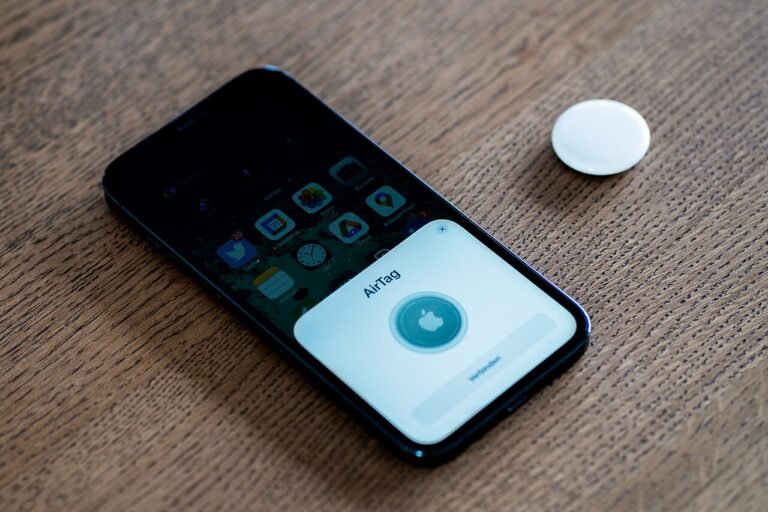
An AirTag works by borrowing other people’s devices. It sends out a Bluetooth signal, any nearby device in Apple’s Find My network that hears it passes along an encrypted location report, and only the tag’s owner can decrypt that report. The tag itself keeps no location history, and Apple says it cannot read the report either. That is the whole trick, and the rest of this page walks through each link in the chain, using what Apple has published about its own product.
The Find My network does the work
When Apple introduced AirTag in 2021, it described the Find My network as approaching a billion Apple devices, and said the network is anonymous and private. A tag that is out of your phone’s range is not alone: any Apple device in the network that passes close enough can detect it over Bluetooth and relay where it was seen. The owner then sees that spot in the Find My app.
The devices doing the relaying are strangers’ devices, and that is the privacy problem Apple built the design around. Its support page on unwanted tracking says the Find My network uses Bluetooth identifiers that change frequently, along with end-to-end encryption. Because the identifier keeps changing, a passing device cannot easily be used to follow one tag across a day. Because the report is encrypted, the passing device cannot read the location it just relayed.
What stays private, and from whom
Apple’s newsroom text says the data is end-to-end encrypted so that only the owner of a device has access to its location data. It adds that no location data or location history is physically stored inside the AirTag. The tag, in other words, is not a logbook that someone could pick up and read.
Apple’s platform security guide goes a step further for the finder side of the system: Apple never has the decryption key, so Apple cannot read the location encrypted by the finder. The same guide says offline finding is on by default when Find My iPhone is enabled, on iOS 13 and later. That sentence describes the devices that take part in the network. It is not a statement about how a given tag is registered, so do not read it as a promise about any one purchase.
There is one more limit that guide spells out: users cannot play sounds on offline devices, and cannot erase them remotely. Apple’s support pages do list playing a sound as one of the ways to find a tag nearby.
Close range: sound and Precision Finding
The network gets you to the right street or room. For the last few feet, Apple points to two tools. You can play a sound from the tag, or you can use Precision Finding. At launch, Apple said Precision Finding used the U1 chip with Ultra Wideband and was available on iPhone 11 and iPhone 12 models. That was a statement about 2021 hardware, so check Apple’s current device list before you count on it.
Apple does not describe either tool as a way to find a tag across town. They belong to the final approach, once the network has put you in the right place.
Tracking alerts when a tag is not yours
A device that follows people is a stalking risk, and Apple’s support page says plainly that it has built protections in. If an AirTag is separated from its owner and seen moving with you over time, your iPhone can show an alert. The wording on screen is “AirTag Found Moving With You”, and similar alerts exist for AirPods (“AirPods Detected”) and other accessories (“Unknown Accessory Detected”). A tag that has been separated from its owner for a while also emits a sound.
Apple and Google collaborated on an industry specification for unwanted-tracking alerts. Apple’s firmware notes show it has changed the tag over time. Version 3.0.45 made the unwanted-tracking sound louder. Apple states that updates apply automatically when the tag is in range of an iPhone running iOS 14.5 or later, so there is no download for the owner to run.
If an alert appears and you do not know why, the practical next step is to find the tag, and our guide to GPS trackers for personal use covers the legal rules for personal tracking.
The parts, side by side
| Piece | What it does | What Apple says about it |
|---|---|---|
| Bluetooth signal | Lets nearby devices detect the tag | Identifiers change frequently |
| Find My network | Relays sightings to the owner | Anonymous and private, end-to-end encrypted |
| The tag’s memory | Holds no trail of where it has been | No location data or history stored in the tag |
| Sound and Precision Finding | Guides you the last few feet | U1 chip on iPhone 11 and 12 at launch |
| Separation alerts | Warn a person being moved with a tag | Alerts and sound; Apple and Google specification |
Battery, weather and upkeep
Apple designed the tag for over a year’s worth of battery life with everyday use, using a CR2032 battery that the owner can replace. It carries an IP67 rating, which Apple describes as resistance to water for up to 30 minutes at 1 meter. Those are Apple’s design figures for ordinary use, not guarantees, so a tag that goes quiet is worth checking for a worn-out battery before you assume it is gone.
The same coin cell is also the reason a tag needs to be kept away from small children. If you want the longer version of that, the safety details are covered in a separate article on coin cell batteries. For a broader look at trackers that skip subscriptions, see trackers that do not need a monthly fee.
Our take
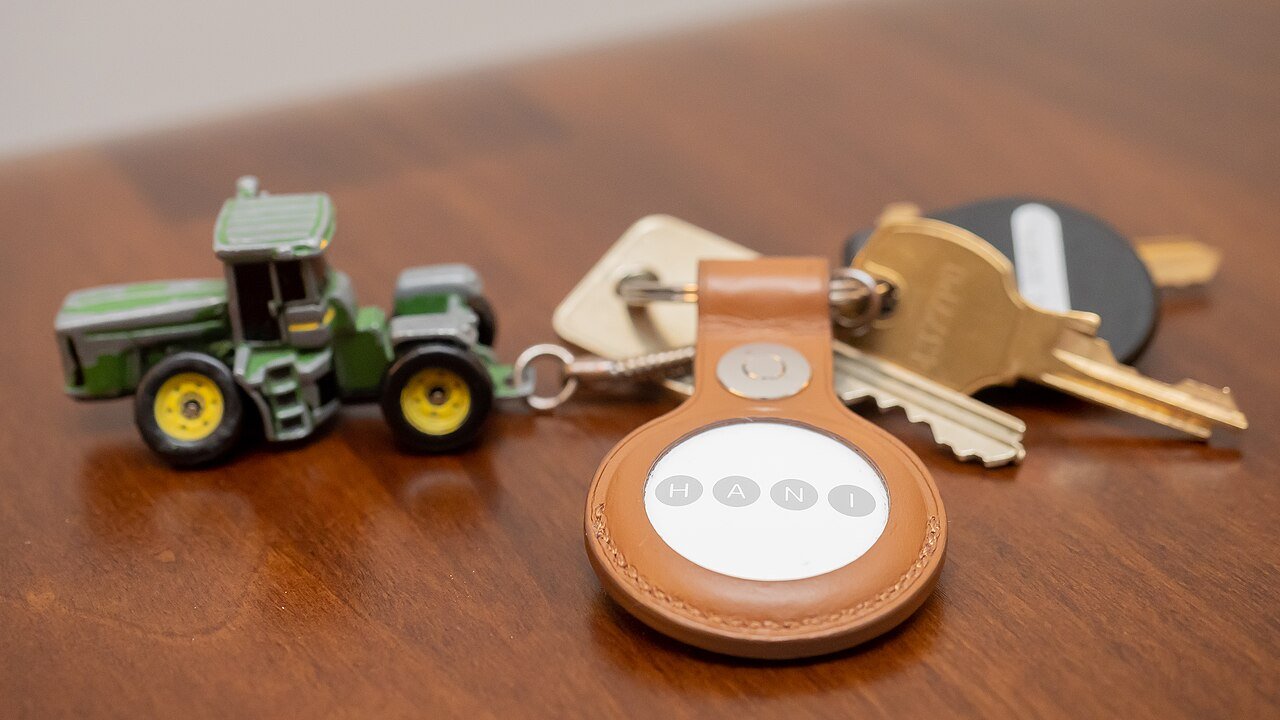
An AirTag is a Bluetooth beacon that depends on strangers’ Apple devices to be found, which makes it good for keys and bags in places with people and weak for remote areas with no one around. The design choices Apple documents, rotating identifiers, encrypted reports and no stored history, are real, but they protect the owner’s data more than they protect a person who gets tracked, which is what the alerts are for.
Common questions about how AirTag works
Does an AirTag need a cell plan or its own connection?
The sources Apple publishes describe the tag reaching you through the Find My network of nearby Apple devices over Bluetooth. They do not describe a cell plan for the tag itself.
Can Apple see where my AirTag is?
Apple says the location data is end-to-end encrypted so that only the owner has access to it, and its security guide says Apple never has the decryption key for a finder’s encrypted report.
Does the tag remember where it has been?
No. Apple states that no location data or location history is physically stored inside the AirTag.
What alert will I see if someone slips one into my bag?
If a tag is separated from its owner and seen moving with you over time, an iPhone can show “AirTag Found Moving With You”. The tag can also play a sound after it has been separated from its owner.
Behind this review
TrueSpyTech does not operate a test lab, and no article here rests on a unit we plugged in ourselves. Research pulls the spec sheets and the relevant law, the pattern in owner reports fills in what a spec sheet will not admit, and an editor signs off before anything goes live. Ratings are locked before affiliate links go in, never after. The full protocol is on our How we review page.
Google lets you pick which sites come up first in your own results.