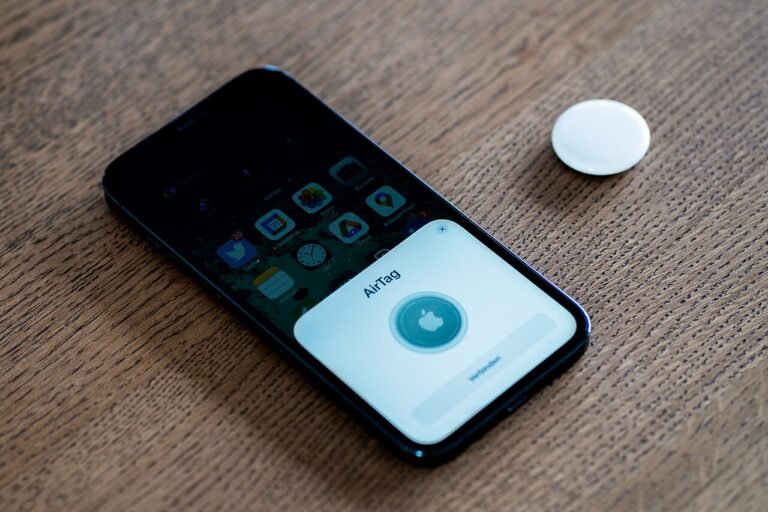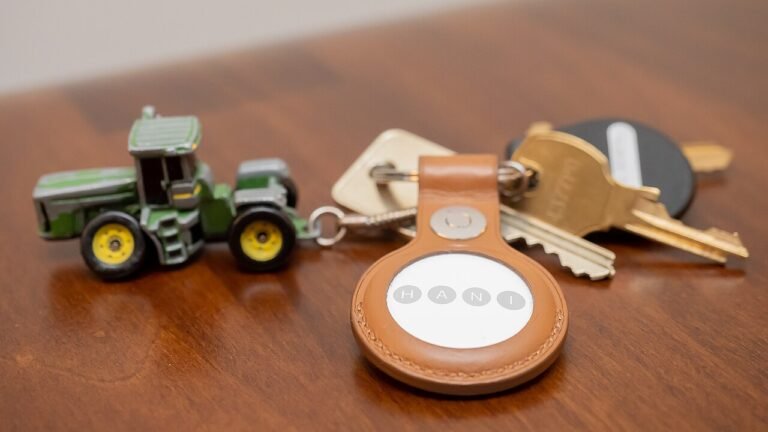
Yes, sometimes. If the phone is switched off or has no connection, both Apple and Google say you may still see where it was last located, and each has an offline network that can help locate a phone that is off. The catch is that these features have to be turned on before the phone goes missing. Apple states it plainly: if Find My was not turned on for your device before it was lost, it will not appear in the Find My app and you cannot mark it as lost or remotely erase it. This article walks through what each company documents and what it does not promise.
What the last known location means
When a phone runs out of battery or loses its connection, the live dot on the map is gone. What you may still have is a record of where it was. Apple’s Find My help page says that if Find My cannot display your device’s current location, for example because the battery has run out, you can see its last known location for up to seven days in the Find My app. Google’s Find Hub page uses similar wording: if the current location cannot be found, you may still find the last known location, if available.
That last known spot is where the phone was, not where it is. A phone left in a taxi will have moved on. A phone that died in your own kitchen will still be there. Use the last location as the place to start looking and to retrace your steps, not as a guarantee.
Apple: the Find My network
Apple describes the Find My network as a crowdsourced network of over a billion Apple devices that use Bluetooth technology to detect the location of an accessory or device. The page says it lets you see your device even when it is offline, and that you can find devices even if they are powered off or disconnected. Apple does not hand you a duration in the pages read for this article, so do not count on a specific number of hours after shutdown.
Other tools on the same help page work once you have a fix. Play Sound helps if you are close. Lost Mode locks the device and suspends payment cards and passes. Remote erase needs two-factor authentication. Apple also says an erased device on iOS or iPadOS 15 or later can still be found. For a phone you think is gone for good, erase is the last step and not the first, since it is the one that cannot be undone.
Google: Find Hub and offline devices
On Android, the path to the setting is Settings, then Google, then All Services, then Find Hub, then Find your offline devices. Google’s page offers four choices: Off, Without network, Busy places only, and Everywhere. Pick one before you need it.
For supported models such as the Pixel 8 series, Google says to make sure Bluetooth and Location are turned on when the phone shuts down. A phone with those settings can be located for several hours after it is turned off, and a PIN, pattern or password is required. That several-hour window is specific to the models Google lists, so a different phone may not behave the same way.
Google’s offline devices page says participating Android devices use Bluetooth to scan for nearby items and send locations securely. The locations are encrypted with a key only you can access, and Google states that the locations of your items are private from Google.
On the Find Hub page, Play sound rings at full volume for five minutes, even if the phone is set to silent or vibrate. Mark as lost locks the device and lets you put contact information on the lock screen. Erasing needs the phone to be connected to mobile data or Wi-Fi and signed in, and the Google Account password is needed afterward.
| Question | Apple Find My | Google Find Hub |
|---|---|---|
| Last known location | Up to seven days in the app | Shown “if available” |
| Offline network | Bluetooth network of over a billion Apple devices | Participating Android devices scan by Bluetooth |
| Setting to check | Find My must be on beforehand | Find your offline devices: Off, Without network, Busy places only, Everywhere |
| Lock remotely | Lost Mode | Mark as lost |
| Erase | Needs two-factor authentication | Needs data or Wi-Fi and a signed-in phone |
What to do if you think it was stolen
Apple’s page on a lost or stolen device advises reporting a stolen device to local law enforcement, who may ask for the serial number, contacting your carrier, and filing an AppleCare+ claim if you are covered. It tells you not to try to recover the device yourself, and to watch for social engineering. If a message arrives that claims to have found your phone and asks for your password, treat it with suspicion.
The safety point is the same for any brand. If the map puts the phone at someone’s home or at a place you would not go alone, do not go there. Give the location to the police and let them handle it.
Prepare now for the next time
Turn on Find My on an iPhone, or the offline setting in Find Hub on Android, and check that location services are on. For things that are not phones, the guide to GPS trackers for personal use covers dedicated tags and the rules that come with them.
Our take
A phone that is off is not always lost. Apple shows a last known location for up to seven days and describes a network that can find devices that are powered off. Google offers an offline setting and, on supported models, several hours of location after shutdown. Both only work if the setting was on before the phone went missing, so check it today. If the phone was stolen, report it to the police and your carrier, and do not go after it yourself.
Common questions about finding an offline phone
Can I find an iPhone with a dead battery?
Apple says you can see its last known location for up to seven days in the Find My app, and that Find My can find devices that are powered off or disconnected if Find My was turned on beforehand.
Can I find an Android phone that is switched off?
On supported models, Google says it can be located for several hours after it is turned off, as long as Bluetooth and Location were on at shutdown and your offline setting allows it. Other models may differ.
Does Google see where my offline items are?
Google states that locations are encrypted with a key only you can access and that the locations of your items are private from Google.
What if Find My was never turned on?
Apple says the device will not appear in the Find My app or at icloud.com/find, and you cannot mark it as lost or erase it remotely. Report the loss to your carrier and the police.
Behind this review
TrueSpyTech does not operate a test lab, and no article here rests on a unit we plugged in ourselves. Research pulls the spec sheets and the relevant law, the pattern in owner reports fills in what a spec sheet will not admit, and an editor signs off before anything goes live. Ratings are locked before affiliate links go in, never after. The full protocol is on our How we review page.
Google lets you pick which sites come up first in your own results.