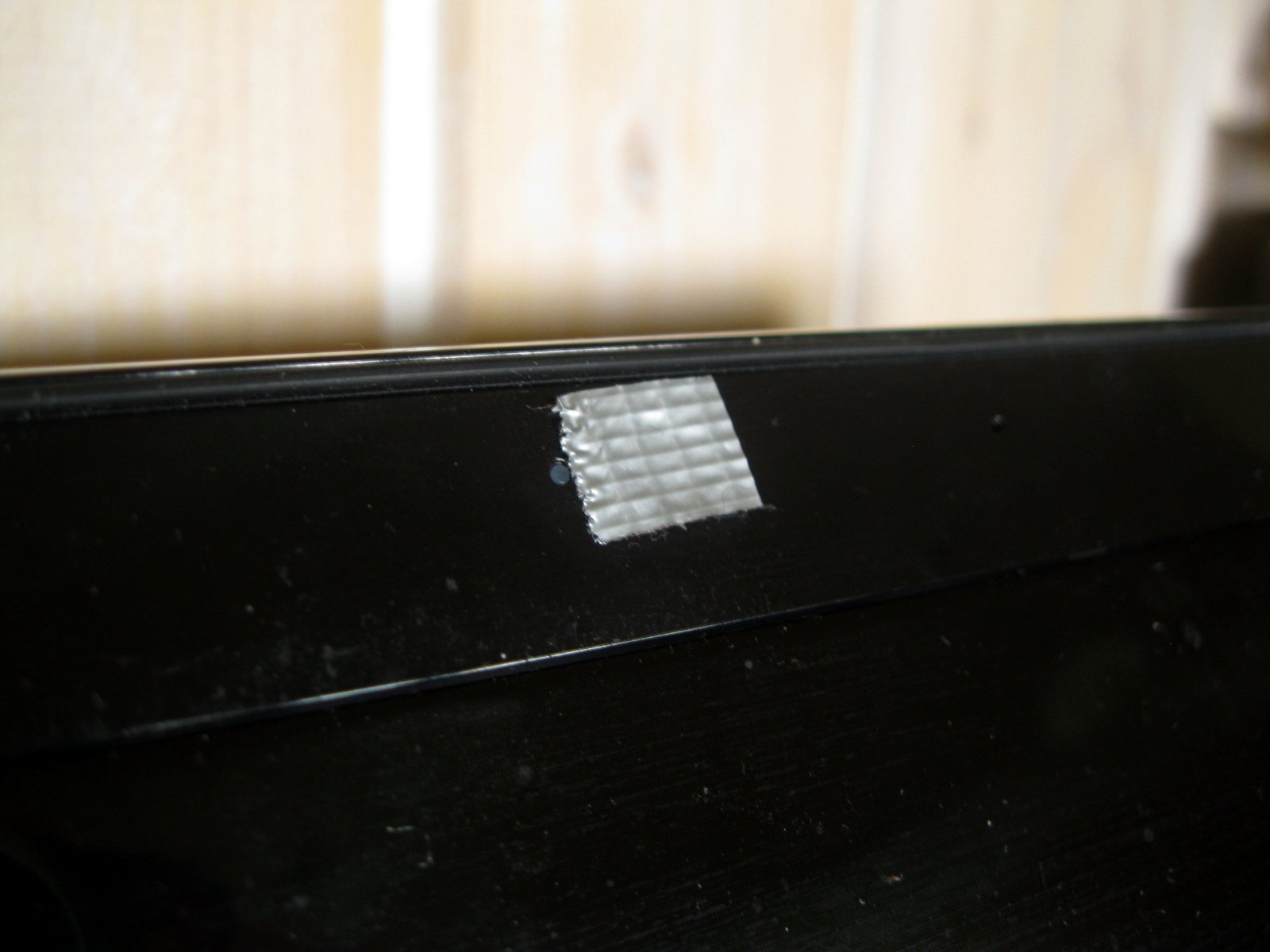
A sliding piece of plastic over a laptop camera is about the lowest-tech privacy tool there is, and it is also one of the few that works against every kind of remote access at once. Software can be fooled. A cover that physically blocks the lens cannot be switched off from another country. The catch is that a cover bought carelessly can crack a screen, leave residue, or simply not fit. The details below are what separate a good one from a bad one.
Our take
Buy the thinnest cover that fits your model. The Eyebloc magnetic slide at 0.01 inch is the thinnest here, and CloudValley’s metal slide is a sturdier choice for older, thicker lids. Check the compatibility note first: one cover on this list says it is not for MacBooks released after 2023. If your webcam is an external one, a model with a built-in shutter, like the Logitech C920S, removes the problem.
Why thickness decides everything
Many laptops close with only a hair of clearance between the screen and the keyboard deck. Pressure from a cover on a closed lid is the usual way a screen gets marked or cracked. The listings in this post give cover thickness for exactly that reason: 0.01 inch for the Eyebloc, 0.023 inch for the CloudValley, 0.03 inch for the three pack. A thicker cover fits a laptop with a loose lid, such as many older business machines. It is risky on a thin modern notebook.
If you are unsure, close the lid on a sheet of paper and then on two sheets. If it resists with two sheets, a cover thicker than a paper’s width is not a good idea.
What a cover does not do
A cover blocks sight. It does not block sound, and a laptop microphone sits somewhere else on the case. If you worry about audio, the fix is a software mute or a mic switch, or a hardware option that disconnects it. A cover also should not cover the indicator light in a way that hides a warning that the camera is on. CloudValley’s listing says its design does not interfere with the light. Read that line on any cover you consider.
Legal use is straightforward here, since you are covering your own device. If you use laptops for work, check that a company-issued machine allows modifications first. For the broader picture, see our counter-surveillance guide and what phone sensors can and cannot detect.
Picks
Eyebloc Laptop Webcam Cover Slide, magnetic
Thinnest option in the group
- 0.01 inch thick, stainless steel
- Magnetic slide, listed for MacBooks from 2014 to 2021
- Made of stainless steel, so it will not bend like a plastic slide
CloudValley Laptop Camera Cover Slide, 2 pack
A metal slide for laptops with room to spare
- Aluminum alloy, 0.023 inch thick
- The listing says to press firmly for 15 seconds when applying it
- Does not interfere with the camera indicator light, according to the listing
Webcam Cover 3 Pack, 0.03 inch slide
Cheap multi-pack for desktops, tablets and thick lids
- 0.03 inch ultra thin slide that uses adhesive
- The listing says it is not for MacBooks released after 2023 or devices with a protruding camera
- Three pieces, handy if you have several devices
Logitech C920S HD Pro Webcam
An external webcam with a shutter built in
- A built-in cover protects the lens when you are not using it
- 1080p at 30 frames per second
- Good for a desktop, since you can unplug it entirely
Side by side
| Product | Thickness | Material or style | Watch out for |
|---|---|---|---|
| Eyebloc magnetic slide | 0.01 inch | Stainless steel, magnetic | Listed for MacBooks 2014 to 2021 |
| CloudValley 2 pack | 0.023 inch | Aluminum alloy | Press firmly for 15 seconds |
| Webcam Cover 3 Pack | 0.03 inch | Adhesive slide | Not for MacBooks after 2023 |
| Logitech C920S | Not applicable | Built-in shutter | External webcam only |
Who should buy what
An owner of a MacBook from the 2014 to 2021 range has an obvious match in the Eyebloc. A person with a business-class Windows laptop that has a thick lid can use the CloudValley or the three pack. Anyone who works from a desk with an external camera should look at the Logitech, or simply unplug the camera when it is not needed.
Parents buying for a student machine may prefer the cheap three pack, since covers get lost. Just check that the laptop is not a recent thin model before sticking anything to it.
Fitting it without damaging anything
Clean the bezel with an alcohol wipe and let it dry. Place the cover so the slider moves clear of the lens frame, press it in place, and hold the pressure for the time the maker lists. CloudValley says 15 seconds. Slide it open and shut a few times, then close the lid slowly and look for any contact with the keyboard area. If the lid feels tight, take the cover off and do not force it. A sticker peeled gently from a bezel with a hair dryer on low usually comes off cleanly.
Remember that a covered camera is still a camera. If you want to go further and check for devices you did not install, our hidden camera guide explains what to look for in a room, and hidden camera detectors compares tools.
When a cover is not the right answer
Some devices have a camera that cannot take a slider, such as phones, tablets in cases and laptops with a protruding lens. The three pack listing says as much for devices with a protruding camera. In those cases, a different approach is better: remove app permissions you do not need, review which apps can use the camera in your settings, and keep the device updated. A cover is a physical measure; permissions are the software side, and the two work together.
Desktop users have the easiest fix of all. A webcam on a USB cable can be unplugged when it is not in use, and the Logitech C920S adds a built-in shutter for the moments when you leave it connected. If you only join video calls once a week, unplugging is a perfectly good routine.
Buying for a household
If you are covering several laptops, check each one separately. A family might have a thin recent notebook, a school-issued Chromebook with a thick lid and an older work laptop. One pack will not fit all of them. Buy by thickness for each machine, and keep a spare cover or two, because small slides get lost in bags and drawers. Teach children that the cover is to be closed whenever the camera is not in use, and that it is not a toy to be flicked open and shut all day, since repeated sliding loosens the adhesive over time.
Finally, keep the original packaging or at least the instruction card for each cover. Fitting notes such as the CloudValley pressure time are easy to forget, and they matter again if you ever replace a cover after the adhesive gives up.
Frequently asked questions
Can a camera cover damage my laptop screen?
It can if the cover is too thick for the gap when the lid is closed, and one listing here warns against use on MacBooks released after 2023. Check thickness and your model’s compatibility before buying.
Does a cover stop the microphone?
No. A cover only blocks the lens. Mute the microphone in system settings or use a hardware switch if audio is a concern.
Is it enough to rely on the camera light?
The light is a useful warning, but a cover is a physical barrier and does not depend on hardware or software behaving as expected.
Do I need a cover on a phone?
Phone cameras are harder to cover without a case. Most people rely on app permissions and the operating system’s indicator for the camera.
Behind this review
TrueSpyTech does not operate a test lab, and no article here rests on a unit we plugged in ourselves. Research pulls the spec sheets and the relevant law, the pattern in owner reports fills in what a spec sheet will not admit, and an editor signs off before anything goes live. Ratings are locked before affiliate links go in, never after. The full protocol is on our How we review page.
Google lets you pick which sites come up first in your own results.