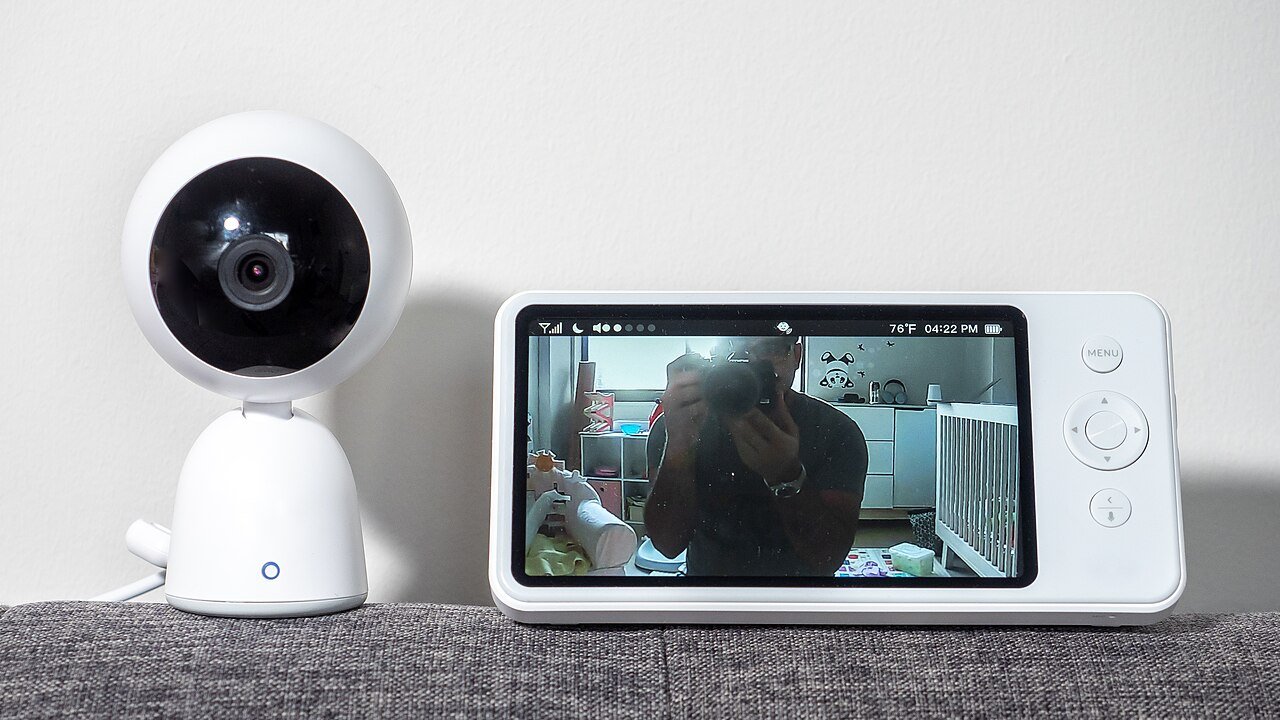
Yes, a baby monitor that connects to the internet can be accessed by a stranger, and the usual cause is a weak, reused or default password rather than anything exotic. CISA, in an alert about advice from the UK’s National Cyber Security Centre, says an attacker could “gain access to unsecured, or poorly secured, internet-connected cameras to obtain live feeds or images,” and the alert names baby monitors in its scope. The fixes are the same across agencies: change the default password, keep the software updated, turn on two-factor authentication if it exists, and switch off remote access you do not use.
What the agencies say can go wrong
The CISA alert covers “smart security cameras and baby monitors” together, because both are cameras attached to a home network and an account. The UK NCSC’s own guidance on smart security cameras says the live feeds “can be accessed by unauthorised users.” Neither source describes a particular case or gives a count of incidents, so this article does not either. What they do give is a short list of where the weak points are.
A monitor that only sends video to a handheld screen over a closed link is a different thing from one that uploads video to an account you open from your phone. The risks described by these agencies attach to the second type, the connected one. If you are choosing between the two styles, the comparison of baby monitors and nanny cams lays out how they differ.
The steps the FTC lists
The Federal Trade Commission’s page on how to secure home security cameras is the most detailed of the three. It points to these things, grouped here by when you do them.
Before you buy
Look for built-in encryption of account information, livestreams and archived videos. The FTC also suggests checking that the feed is encrypted before you enable remote viewing, and considering cameras that let you “disable remote viewing” altogether. If the monitor will be shared among parents, grandparents or a sitter, look for “different levels of permissions” so that not everyone with a login can see everything.
At setup
Set a strong router password and make sure your wireless network is encrypted with WPA3 or WPA2. Create a strong password for the camera account that you do not use anywhere else. Turn on two-factor authentication, which the FTC describes as something in addition to a password, “like a verification code sent by email.” When you log in through a browser, check that the login page shows https.
After setup
Install software updates, or turn on automatic updates. This is the item people forget, because a monitor feels like an appliance and not a computer. It is a computer, and the manufacturer’s patches are the way known holes get closed.
A short checklist drawn from all three sources
| Step | FTC | CISA | NCSC |
|---|---|---|---|
| Change the default password and use a strong one | Yes | Yes | Yes, built from “three random words” |
| Keep software up to date | Yes | Yes | Yes, automatic updates if available |
| Disable remote access if unused | Yes, “disable remote viewing” | Yes | Yes |
| Two-factor authentication | Yes | Not in the text read | Not in the text read |
| Secure the router | Strong router password, WPA3 or WPA2 | Not in the text read | Disable UPnP and port forwarding |
The NCSC suggests building a password from three random words, which is easier to remember than a string of symbols and still hard to guess. It also recommends adjusting your router to disable UPnP and port forwarding, two features that can expose a device to the wider internet. If you are not comfortable changing router settings, the router’s manual or your internet provider’s support line is the right place to ask.
Shared access and who holds the login
Many households give the monitor login to a partner, a grandparent and a sitter. The FTC page treats permissions as a feature worth looking for, so ask whether the app lets you give each person a limited role instead of a single shared password. When a sitter stops working for you, change the password or remove their access that day. A login you gave out two years ago and forgot about is still a working login, and it is the one a stranger is most likely to inherit if that person reuses the password elsewhere.
What to do with a monitor you no longer use
Disable the remote access feature on any camera you are not actively using. CISA says exactly that, and it is the cheapest of all the steps. A monitor in a room that is now a guest bedroom, still logged into an old account, is a feed nobody is watching and nobody is protecting.
The agency texts read for this article do not give a procedure for what to do after a suspected intrusion. If the camera moves on its own, talks, or you see unfamiliar logins, the sensible response is to unplug it, change the account password and the Wi-Fi password, and contact the manufacturer. That is general advice rather than an instruction from these sources. If someone has used the feed to threaten you or your child, call your local police, and call 911 if there is immediate danger.
Monitoring a child also raises the question of who else you are watching. The family monitoring guide places baby monitors next to the other tools households use and the limits on each.
Our take
Most of the protection is free and takes ten minutes: a unique password, two-factor authentication where it is offered, updates switched on, and remote viewing turned off when you do not need it. If a monitor cannot be updated or has no way to change its password, treat that as a reason to replace it.
Common questions about baby monitor security
Can someone hack a baby monitor that is not connected to Wi-Fi?
The agency texts read here concern internet-connected cameras and baby monitors. They do not discuss monitors that only link to a handheld screen, so the risk they describe applies to the connected type.
Is a strong password enough?
It is the first step, not the last. The FTC and the NCSC both list software updates, and the FTC adds an encrypted home network and, where offered, two-factor authentication.
What is two-factor authentication on a camera account?
The FTC describes it as requiring something in addition to a password, such as a verification code sent by email. A stolen password alone does not open the account.
Should I turn off remote viewing?
If you do not use it, yes. CISA and the NCSC both advise disabling remote access that is unused, and the FTC suggests considering cameras that let you disable remote viewing.
Behind this review
TrueSpyTech does not operate a test lab, and no article here rests on a unit we plugged in ourselves. Research pulls the spec sheets and the relevant law, the pattern in owner reports fills in what a spec sheet will not admit, and an editor signs off before anything goes live. Ratings are locked before affiliate links go in, never after. The full protocol is on our How we review page.
Google lets you pick which sites come up first in your own results.