The right monitoring device depends entirely on the specific worry driving the purchase, not on buying the most feature-packed gadget you can find. A GPS watch solves “where is my kid right now.” A fall-detection pendant solves “is my mother okay if I don’t hear from her by noon.” A pet camera solves “is the dog destroying the couch or just anxious.” Matching the device to the actual concern, instead of buying whatever’s trending, is the difference between a tool your family tolerates and one that turns into a source of daily arguments.
Verdict
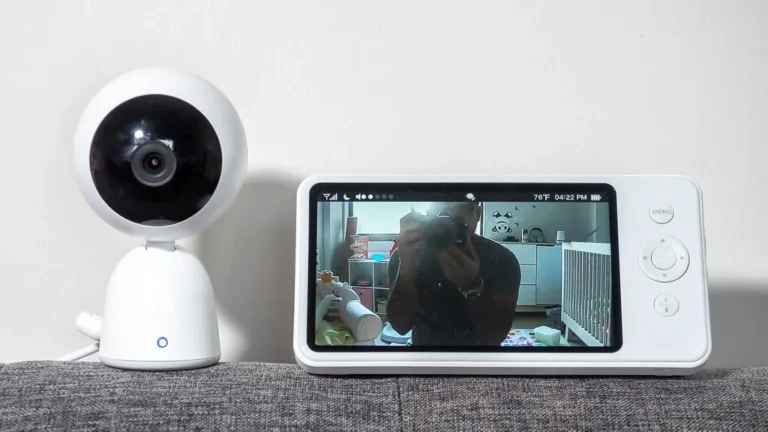
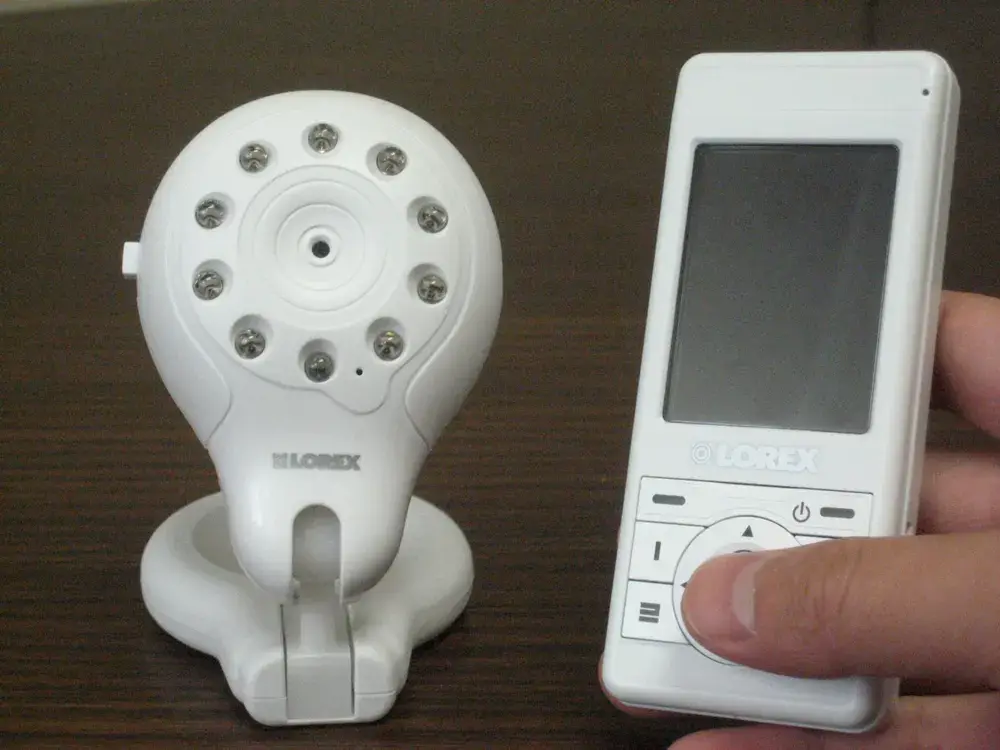
Start from the specific fear, not the device category. A wandering concern needs GPS with geofencing. A falls concern needs a wearable with fall detection and a real button, not just an app. A reachability concern for kids needs a watch, not a full smartphone. Buy narrow, on purpose. Under three, the choice narrows to two devices rather than a whole category, and we set them against each other in our baby monitor versus nanny cam comparison.
How do you choose between a GPS watch, a tracker, and a phone for a kid?
A GPS watch is the right call for kids roughly 5 to 11, because it does one job (location plus limited calling) without the social pressure and screen-time fights a full smartphone brings. Battery life, network coverage, and how much of your kid’s data the manufacturer sells or shares are the three things that actually separate good watches from bad ones, not the cartoon on the box. Our full comparison of GPS watches for kids breaks down specific models on exactly those three points.
For a teenager who already has a phone, a standalone GPS tracker rarely makes sense. Built-in phone location sharing (Life360, Find My, Google’s family features) does the same job without buying new hardware. A dedicated tracker earns its keep for a car, a bike, or a bag, not a person who’s already carrying a phone. Our GPS tracker guide covers the standalone hardware side if that’s genuinely what you need.
What helps with aging parents: cameras, wearables, or sensors?
This is where people over-buy the most. A camera in a parent’s living room feels like it’s doing something, but it only helps if someone’s actively watching the feed, which nobody realistically does at 2 a.m. A fall-detection pendant or watch that auto-dials for help, combined with door or motion sensors that flag unusual inactivity (no movement detected by 10 a.m. when Mom is normally up by 7), catches more real emergencies with less daily friction than a camera ever will.
Cameras earn their place in specific rooms for specific reasons, kitchen stove monitoring for someone with early cognitive decline, for instance, but a camera in a bedroom or bathroom is both a privacy problem and, per most state law, potentially illegal even with good intentions if the parent hasn’t consented and doesn’t have diminished capacity that legally changes that calculus. Our hidden camera buying and placement guide covers where cameras genuinely help versus where a sensor does the same job with far less intrusion.
What’s the right setup for a dog with separation anxiety versus one who just needs mental stimulation?
An anxious dog needs two-way audio so you can talk them down, and ideally treat dispensing to interrupt a panic spiral with something to focus on. A bored-but-fine dog just needs a camera you can check on periodically, and treat dispensing becomes a nice-to-have rather than the deciding factor. Buying a $200 treat-dispensing camera for a dog who sleeps all day is money that could’ve gone toward a longer walk. Our pet camera and treat dispenser reviews get specific about which models handle real separation anxiety versus which ones are mostly a novelty.
| Concern | Best-fit device category | Why |
|---|---|---|
| Kid walking to school alone | GPS watch with geofencing | Location + arrival alert, no phone needed |
| Aging parent living alone | Fall-detection wearable + motion sensor | Catches emergencies without a live feed to babysit |
| Anxious dog home alone | Two-way audio camera with treat dispenser | Interrupts panic in real time, not after the fact |
| Teen who already has a phone | Built-in phone location sharing | No new hardware, same result |
| Car or bike theft risk | Standalone GPS tracker | No monthly phone plan tied to the object |
How do you introduce monitoring without it feeling like surveillance?
The setups that last are the ones introduced as a conversation, not a surprise. Telling a kid “this watch tells me you got to school okay” lands very differently than them discovering the location-sharing feature on their own months later. The same goes for an aging parent: framing a fall-detection watch as independence (it lets you keep living alone safely) rather than as a leash tends to get much less pushback than presenting it as something decided about them rather than with them. Covert monitoring of a spouse or another adult without their knowledge is a different category entirely, both legally and relationally, and it’s not what most of this guide is describing.
Buy-in matters more with teenagers than with younger kids, mainly because a young child doesn’t have the pull to simply take the watch off and leave it in a locker. A teenager does, so a monitoring setup they weren’t part of deciding on tends to get quietly defeated rather than argued about openly. A short conversation about what’s being tracked and why, upfront, saves most families the trouble later.
What happens when a teenager finds out they’re being tracked covertly?
Usually, it goes worse than the original worry the tracking was meant to solve. Trust, once a teenager realizes location sharing was hidden rather than disclosed, tends to take longer to rebuild than the tracking period itself lasted, and the discovery often happens at the worst possible moment, mid-argument, rather than calmly. This doesn’t mean tracking a teenager is off the table. It means the built-in, disclosed location sharing most phones already offer tends to hold up better over time than a hidden third-party app installed specifically to avoid the conversation.
There’s also a practical angle: a disclosed setup means a teenager isn’t actively trying to work around it, while a discovered covert one often triggers exactly that, a second phone, a spoofing app, or simply leaving the primary phone at a friend’s house. The tracking usually works better, not worse, once it stops being a secret.
How do these devices handle your family’s data?
Every device in this category is collecting location history, video, or audio, and that data lives on someone else’s server unless you specifically chose local storage. Kid-focused GPS watches vary enormously here. Some brands built specifically for children (Gabb is one example) explicitly avoid selling data and market that as a feature. Others bury a broad data-sharing clause in a terms-of-service document nobody reads, and it’s worth the ten minutes to check before a watch ends up on a seven-year-old’s wrist.
Pet and elder-care cameras carry a different risk: cloud storage subscriptions that quietly expire, leaving you with a camera that still records but stops saving anything past 24 hours, right when you needed last week’s footage. Check whether local SD card storage is an option before buying, especially for a camera watching an aging parent, where losing footage right before an incident is the worst possible timing. None of this is a reason to skip monitoring. It’s a reason to spend the ten minutes reading what happens to the footage once it leaves the device.
Is any of this legal, and does consent matter within a family?
Tracking a minor child’s location is legal everywhere in the US without needing their consent, since parents have legal authority over minors that doesn’t require agreement. Once a “child” turns 18, that authority ends, and covertly tracking an adult child crosses into the same legal territory as tracking any other adult without consent. Monitoring an aging parent is more nuanced. If they have full legal capacity, their consent matters and covert monitoring can raise real legal and relationship problems. If a power of attorney or guardianship is in place due to cognitive decline, the legal calculus shifts, though it’s worth confirming with an attorney rather than assuming. Our GPS tracker guide and hidden camera guide both cover the placement and consent specifics for each device type in more depth than fits here.
How much does a full family monitoring setup cost?
A kid’s GPS watch typically runs in the $50 to $150 range for the hardware, plus a monthly cellular plan most brands require, usually under $15. Fall-detection pendants for aging parents range widely depending on whether monitoring is self-managed or routed through a professional monitoring service, with the service tier adding a recurring monthly cost similar to the watch’s cellular plan. Pet cameras with treat dispensers generally land in the $100 to $150 range for hardware, and cloud video storage is often optional rather than required, unlike most GPS watches. None of these need to be bought at once. Most families add one device as one specific worry becomes real, not all three on day one.
The subscription costs are where a lot of families get surprised a year in, since the hardware price is what gets advertised and the recurring fee is what adds up. A GPS watch’s cellular plan alone can run $150 to $180 a year on top of the hardware. A professionally monitored fall-detection service typically costs more per month than the self-managed version, sometimes two or three times as much, in exchange for a live operator dispatching help instead of an app just alerting a family member. Pet camera cloud storage is usually the most skippable of the three, since a missed clip of a dog napping carries lower stakes than a missed fall alert, but it’s worth checking whether older footage disappears after a set number of days before assuming it doesn’t.
Should you try before committing to a full setup?
Most of these devices come from retailers or manufacturers offering a 30-day return window, and it’s worth treating that window as part of the actual decision instead of an afterthought. A GPS watch a kid refuses to wear past week one is a wasted purchase no matter how good the specs looked in a comparison table. A fall-detection pendant a parent takes off because it feels stigmatizing needs a different device, or a different conversation, not a stronger pitch for the same one. Buying one unit and testing it against the real behavior of the real person wearing it, rather than assuming the specs translate to compliance, catches most of the expensive mistakes in this category before the return window closes.
The three devices this guide keeps coming back to
Gabb Watch 3
A phone-free way to reach a young kid: calls to a short approved list, location, and no browser or app store to police.
- Contacts are locked to what a parent approves
- No internet, no social apps
- Monthly plan required, which is the real cost
TickTalk 4
The step up when the kid is old enough to want video calls, and you still are not ready to hand over a phone.
- Video calling and voice messages
- School-hours mode that silences everything
Tracki GPS Tracker
For a car rather than a person: an aging parent who still drives, or a teenager’s first vehicle. Cheap hardware, subscription attached.
- Live location on a car without touching the phone
- Speed and geofence alerts
- Subscription runs about the price of a coffee a week
The watches are compared side by side in GPS watches for kids.
Frequently asked questions
Can one app monitor my kids, my parents, and my dog at the same time?
Not realistically with good results. Kid-focused GPS watches, elder-care fall detection, and pet cameras each use purpose-built apps with features specific to that use case. A few broad “family safety” apps try to cover all three, but they tend to do each one worse than a dedicated device does its one job.
Is it worth buying a camera instead of a wearable for an aging parent?
Usually not as the primary tool. A camera only helps in the moment someone’s watching it, while a wearable with fall detection actively alerts you without anyone monitoring a live feed. Cameras work better as a secondary check-in tool for specific rooms, not the main safety net.
What age should a kid stop using a GPS watch and switch to a phone?
There’s no fixed age, but most families make the switch somewhere between 11 and 13, often tied to starting middle school rather than a birthday. The better trigger is whether a phone’s social and screen-time complications are worth it yet, not whether the watch feels “babyish.”
Do pet cameras reduce separation anxiety, or just let you watch it happen?
Two-way audio and treat dispensing can genuinely interrupt a panic episode in the moment, which is more than a passive camera does. They’re not a substitute for training or, in severe cases, a conversation with a vet about anxiety medication, but as an in-the-moment tool they do more than just let you watch.
Should grandparents or other relatives get access to the same monitoring app?
Most GPS watches and fall-detection apps support multiple linked accounts, so a grandparent or second caregiver can get their own login rather than sharing one person’s phone. It’s worth deciding upfront who needs real-time alerts versus who just wants occasional updates, since too many people getting every notification tends to make everyone start ignoring them.
Buy the device that answers your specific worry this month, not the bundle that promises to cover every worry you might have someday. Most of these purchases age well when they solve one real problem and age badly when they were bought “just in case.”
Behind this review
TrueSpyTech does not operate a test lab, and no article here rests on a unit we plugged in ourselves. Research pulls the spec sheets and the relevant law, the pattern in owner reports fills in what a spec sheet will not admit, and an editor signs off before anything goes live. Ratings are locked before affiliate links go in, never after. The full protocol is on our How we review page.
Google lets you pick which sites come up first in your own results.