Wi-Fi hidden cameras let you check footage from your phone anywhere, but a determined person can sometimes spot them on the home network. SD card cameras never touch Wi-Fi at all, which makes them harder to detect, but you have to physically retrieve the card to see anything they’ve recorded. Neither one is universally “better.” The right choice depends on whether you need to know what’s happening right now or you’re fine reviewing footage later. For the full picture on choosing a hidden camera beyond just storage type, see our complete buying guide.
Verdict
Go Wi-Fi if remote access matters more than staying invisible to a network scan, which covers most households. Go SD card if discretion is the entire point, like a rental you’re only in occasionally, or if the room has spotty internet anyway. Hybrid models that do both exist and cost more, but they solve this dilemma outright if the budget allows it.
How each type works
A Wi-Fi camera connects to your router the same way a smart speaker or a laptop does, and it uploads footage, either continuously or on motion, to an app and often a cloud server. That’s what lets you open the app from another city and see a live feed. It’s also what makes the camera show up as a device on the router’s connected-devices list, right alongside every other gadget in the house, to anyone who checks.
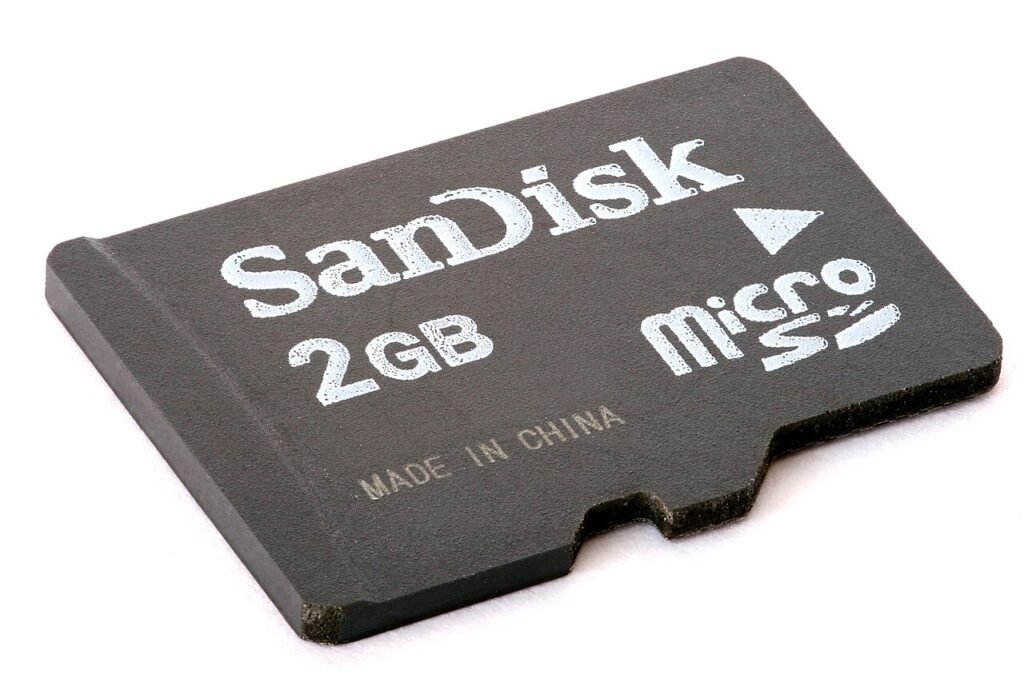
An SD card camera skips all of that. It records directly to a physical card inside the unit and stores nothing anywhere else unless you manually pull the card and copy the files off. No app to hack, no cloud account to compromise, and critically, no trace on the network at all. The trade-off is obvious the moment you need to see the footage: you have to go get the card.
| Factor | Wi-Fi camera | SD card camera |
|---|---|---|
| Remote viewing | Yes, live from an app | No, footage stays on the card |
| Shows up on a network scan | Often, as an unfamiliar device | Never, it isn’t connected |
| Setup difficulty | App pairing, needs stable Wi-Fi | Insert card, power on |
| Ongoing cost | Often a cloud storage subscription | One-time card purchase |
| Retrieval speed | Instant, from anywhere | Only when you’re physically there |
Where Wi-Fi wins
If you want to know the moment something happens, a package left on the porch, a pet knocking something over, a contractor showing up late, Wi-Fi is the only option that notifies you in real time. Motion alerts push straight to your phone, and you can pull up the live feed before whatever triggered it has even finished happening. For anyone monitoring a space they’re not physically near most of the day, this is the deciding factor, full stop.
The security question deserves an honest answer here too. Yes, a Wi-Fi camera adds one more connected device that could theoretically be compromised, and yes, a tech-savvy person checking the router will likely spot it. In practice, for a typical household concern, this risk is smaller than the convenience gained. It becomes a real concern specifically when you need the camera to be invisible to someone who has access to your network, which is a narrower situation than most buyers are in.
Where SD card wins
Discretion is the whole case for SD card storage. A card-only camera cannot be found by scanning a router because it was never on the network to begin with. If you’re placing a camera somewhere a housemate, a nanny, or a guest might reasonably check the Wi-Fi devices list, card storage closes that door entirely.
It also sidesteps the reliability question that comes with relying on someone else’s internet connection. A camera in a rental with unreliable Wi-Fi, a garage with weak signal, or a cabin with none at all still works exactly the same on a card. The cost is entirely on the retrieval side: no live view, no remote alert, and if the card fills up or the camera gets knocked over, you won’t know until you check it in person.
What breaks each one in practice
Wi-Fi cameras fail quietly during an outage. If the router goes down, or the internet drops for an afternoon while you’re at work, a cloud-dependent camera can stop recording entirely rather than just losing the remote view, depending on whether it has any local backup at all. Check this specifically before buying, since it’s the single most common complaint in Wi-Fi camera reviews and it rarely shows up on the spec sheet.
SD card cameras fail in a different, more physical way: the card itself. A cheap or aging card can corrupt, especially under the constant write cycles of continuous recording, and a full card with no rollover setting simply stops saving anything new until you swap it. Buy a card rated for continuous video recording rather than a generic one meant for photos, and check the camera’s settings for automatic overwrite so an old file gets replaced instead of the whole card locking up.
The card side of this has a hard number attached to it. Our runtime and storage calculator turns battery capacity and bitrate into hours of recording and hours of card space, so you can see which of the two runs out first.
The legal question doesn’t change either way
Storage type has zero bearing on whether recording is legal. Video in the common areas of your own home is legal whether the footage lands in the cloud or on a card sitting in a drawer. What does matter is where the camera is pointed and whether it’s capturing audio, since audio recording triggers separate consent rules in a chunk of states regardless of how the footage gets stored. If you haven’t already, read our guide to hidden camera law at home before you decide where either type goes.
Picking based on what you’re trying to solve
Buying on budget rather than discretion or remote access? Our roundup of hidden cameras under $50 leans Wi-Fi for the most part, since that’s where the strongest budget options currently sit. Need the camera itself to be unrecognizable as a camera, on top of whichever storage type you pick? Our smoke detector camera comparison covers models available in both flavors. And if the concern runs the other direction, meaning you’re worried about a camera someone else placed rather than one you’re setting up, our roundup of the best hidden camera detectors covers what catches each storage type, since Wi-Fi and SD card cameras get found through genuinely different methods.
If you land on the Wi-Fi side
Wyze Cam v4 (Wi-Fi)
The Wi-Fi case in one box: you see the feed from anywhere, and the footage survives the camera being taken. It also stops the moment the router does.
- Live view and alerts on your phone
- Clips leave the building, so a thief cannot take the evidence
- Dead without power and network
The card-only side has no entry here, and that is deliberate. Searching for a camera that records to a card and never touches a network turns up listings with four ratings, or none at all, from brands that appear and vanish. There is nothing there worth sending you to.
Legality is the same either way, and it is covered in the hidden camera guide.
Frequently asked questions
Can an SD card hidden camera be detected on a Wi-Fi scan?
No. An SD-card-only camera never connects to the network, so it won’t appear on a router’s device list or a network scanner app. It can still be found visually or with an RF detector, just not through a Wi-Fi check.
Do Wi-Fi hidden cameras work without internet?
Most lose remote viewing and cloud recording without an internet connection, though some continue recording locally to a card if they have that option built in. Check whether local backup is included before assuming full functionality during an outage.
Which is more reliable long-term, Wi-Fi or SD card?
SD card storage tends to be more reliable in spotty-internet locations since it doesn’t depend on a connection at all. Wi-Fi cameras are more reliable for noticing a problem in time, since alerts arrive the moment something triggers the camera.
Can I use both Wi-Fi and an SD card on the same camera?
Some models support both, recording locally to a card as a backup while also streaming to an app over Wi-Fi. It costs more than a single-storage camera, but it removes the either-or trade-off this comparison is built around.
If you’re still deciding, ask yourself one question: do you need to know immediately, or is reviewing footage later good enough? That answer alone will point you to Wi-Fi or SD card faster than any spec sheet will. From there, the full buying guide covers everything else that goes into the decision.
Behind this review
TrueSpyTech does not operate a test lab, and no article here rests on a unit we plugged in ourselves. Research pulls the spec sheets and the relevant law, the pattern in owner reports fills in what a spec sheet will not admit, and an editor signs off before anything goes live. Ratings are locked before affiliate links go in, never after. The full protocol is on our How we review page.
Google lets you pick which sites come up first in your own results.